Daiverse — unified project management app

Thirteen apps. One design system.

I designed the brand identity, design system, component library, and documentation for Daiverse — DAI's unified platform, built to replace the 10–13 separate tools their teams used across 150+ countries. Every screen in the product was built from this foundation.

Role
UI/UX + Design System Designer
Brand · Tokens · Components
Year
Sep 2023 — November 2025
Team
UX Designers
UX Researcher
PMs · SMEs
Engineering · Data
Deliverables
Design system
Component library
ZeroHeight docs
Personas · Prototypes
Client
DAI via Myridius
Global development
150+ countries
Daiverse design system overview — tokens, components, and the relationships between them.
FIG. 00The whole system in one diagram — from the basic building blocks up to the finished components.

DAI's teams were using thirteen applications. The brief: replace them with one.

DAI is a global development organization that has worked on social and economic projects in over 150 countries since 1970. To get their work done, their teams were using 10–13 different applications — SharePoint, Tammis, Oracle, and a number of internal tools. RCG (now Myridius) brought me on to help build a single, unified platform — Daiverse — to replace them, along with the design system behind it.

Over 90% of DAI's users work on desktop, so we focused there first. Dark mode and mobile were planned for later stages, but I set the system up to support them from the start.

Daiverse never made it to production. In early 2025, USAID was dismantled, and DAI's US operations — which relied on that funding — had to wind down before the application shipped. What's left is the design system itself: a year of work, documented in enough detail to stand on its own.

Turning a brand into a foundation a product could be built on.

DAI's brand guidelines — colors, type, charts, and tone of voice — were made for marketing, not software. I started there, adapting them into a foundation that could carry a complex product while staying true to DAI's identity.

Colors, type, grid, spacing & elevation

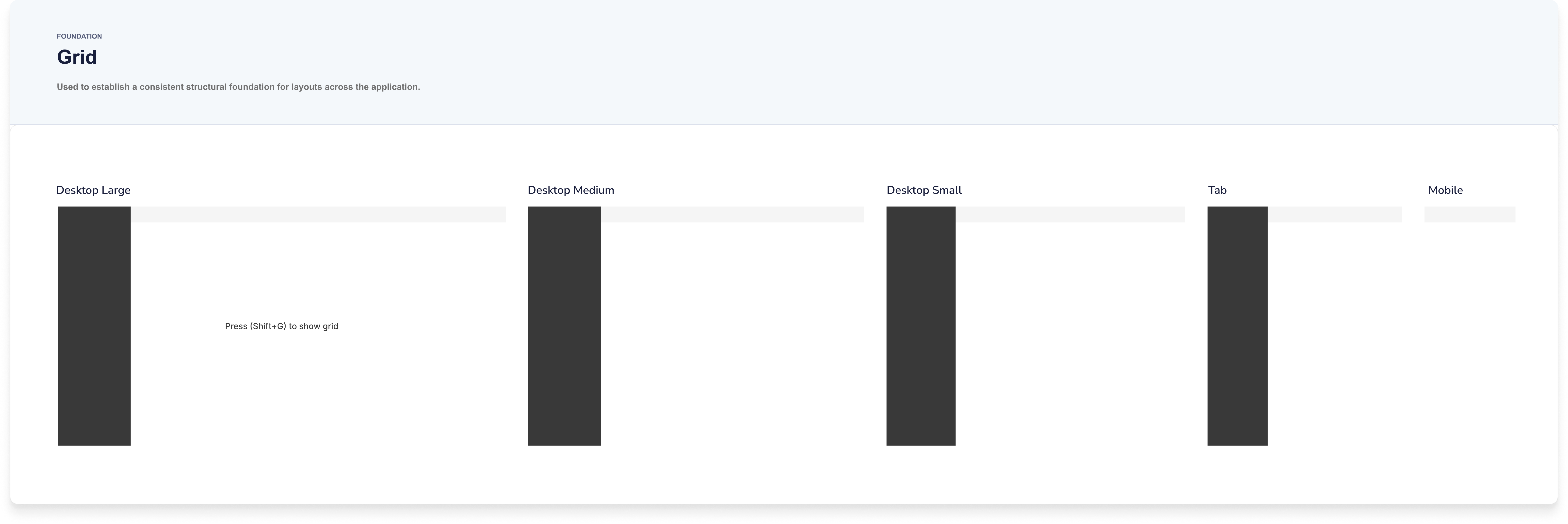
I took DAI's main colors and built out a full range of tints and shades for each, coded 50 to 900 — the primitive palette everything draws from. Proxima Nova carried over from the brand, set into a type scale (XXS to 6XL) flexible enough for both dense data tables and large dashboard headers. A 4-point grid governs all the spacing and sizing, and a set of elevation styles keeps depth consistent across cards, modals, and pop-ups.

Daiverse primitive colors — DAI's hues extended into a 50–900 token scale. Daiverse typography style guide using a T-shirt sized scale from XXS to 6XL. Daiverse elevation styles — token-driven depth scale. Daiverse responsive grid — column layouts across breakpoints from Desktop Large down to Mobile.
FIG. 01The foundation — color range, type scale, grid, and elevation, all drawn from DAI's brand.

Two layers, so the brand can change without breaking anything.

The system is built on two layers of tokens. Primitive tokens hold the raw values — every exact color and size. Semantic tokens take those values and give them a job: background, text, accent, button state. Components only ever use the semantic layer, so the brand can change underneath without breaking anything built on top.

Daiverse primitive tokens — color, type, and spacing scales as Figma variables. Daiverse semantic tokens — primitives mapped to use cases like surface, foreground, accent, state.
FIG. 04 · 05The raw values (left) — every color and size the system can use. The roles (right) — each value given a job like background or accent; this is the layer components are built from.

A library built from what teams actually used.

I only added a component once the design for its feature was final.

It's significantly easier to fill your design system with components you actually need and will use when you have real content and real use cases
Dan Mall · Design That Scales

DAI had no existing product to learn from — just an outdated marketing site. So I pulled the most-used patterns from their brand and grew the library feature by feature: buttons, navigation, widgets, charts. We started with light mode, with dark mode set up in Figma variables to follow in a later stage.

Process diagram showing how components were built feature by feature, not all at once.
FIG. 06How it worked — a component was only added after its feature's design was final.
Daiverse button components in the design system. Daiverse navigation components.
Daiverse widget components. Daiverse chart components.
FIG. 07Buttons, navigation, widgets, charts — each one built from the shared values and ready for light and dark mode from the start.

A system people could actually use, not just look at.

I documented every token and component the moment it was created — not just what it looked like, but how and when to use it. ZeroHeight became the single source of truth: the designs, the code, and the guidance all in one place.

I worked closely with engineering to translate the components into code, then brought those code snippets back into ZeroHeight, so design and development stayed in sync as the system grew.

The product the system was built to ship.

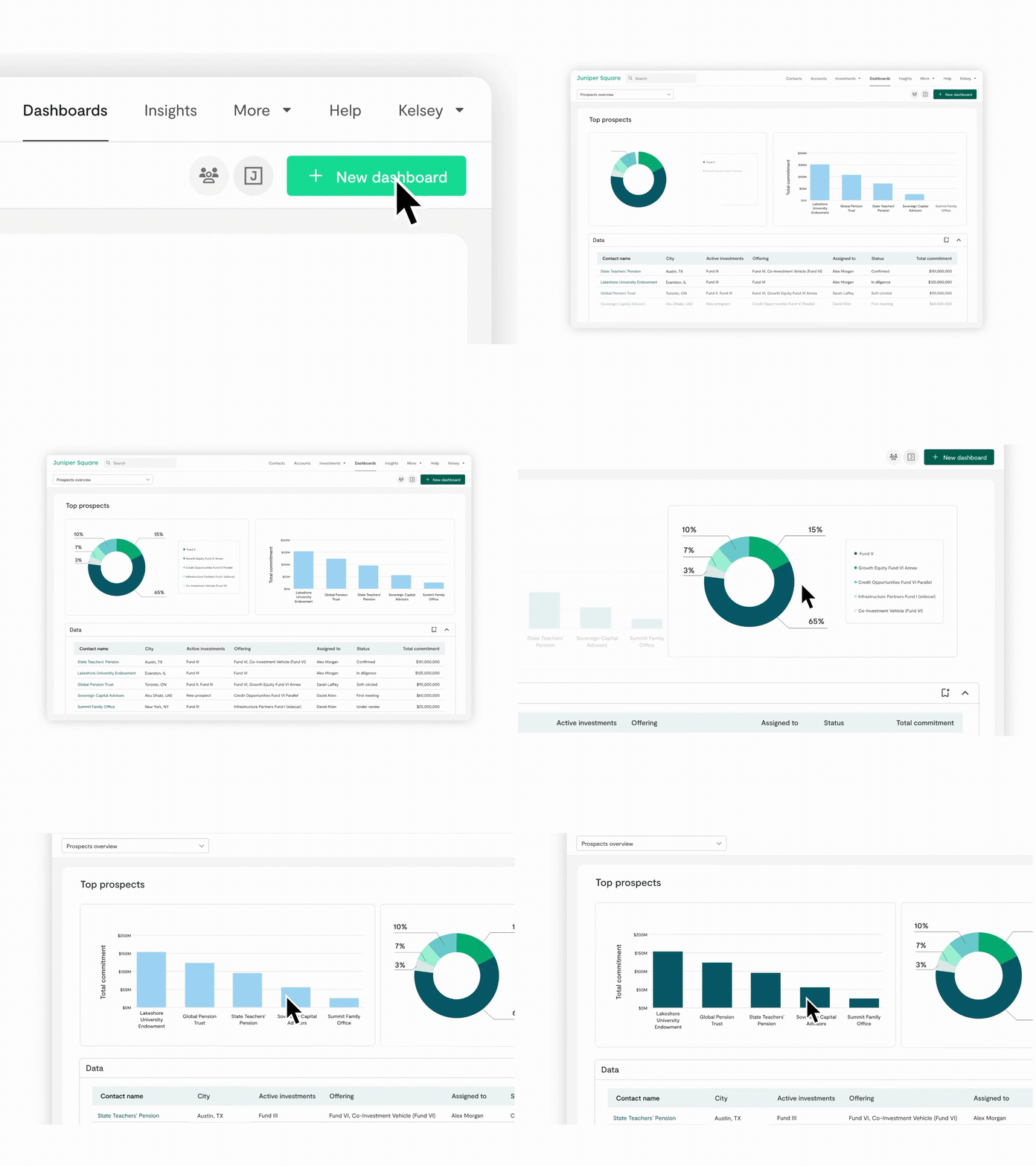
Every screen in Daiverse is built entirely from the system. These are first-version screens — a single dashboard replacing the thirteen tools DAI's teams used to juggle, with every bit of spacing, color, and type tracing back to a token.

Note — all data shown is fictional, replaced to satisfy the NDA on this project. Screens are desktop-first, first version.

Daiverse dashboard — key project information consolidated into a single view.
FIG. 08Dashboard — one place for everything, built entirely from system components.
Daiverse finance overview screen.
Daiverse workplan center screen.
FIG. 09Finance overview (left) and Workplan center (right) — the chart and widget components in real use.
How the product was made

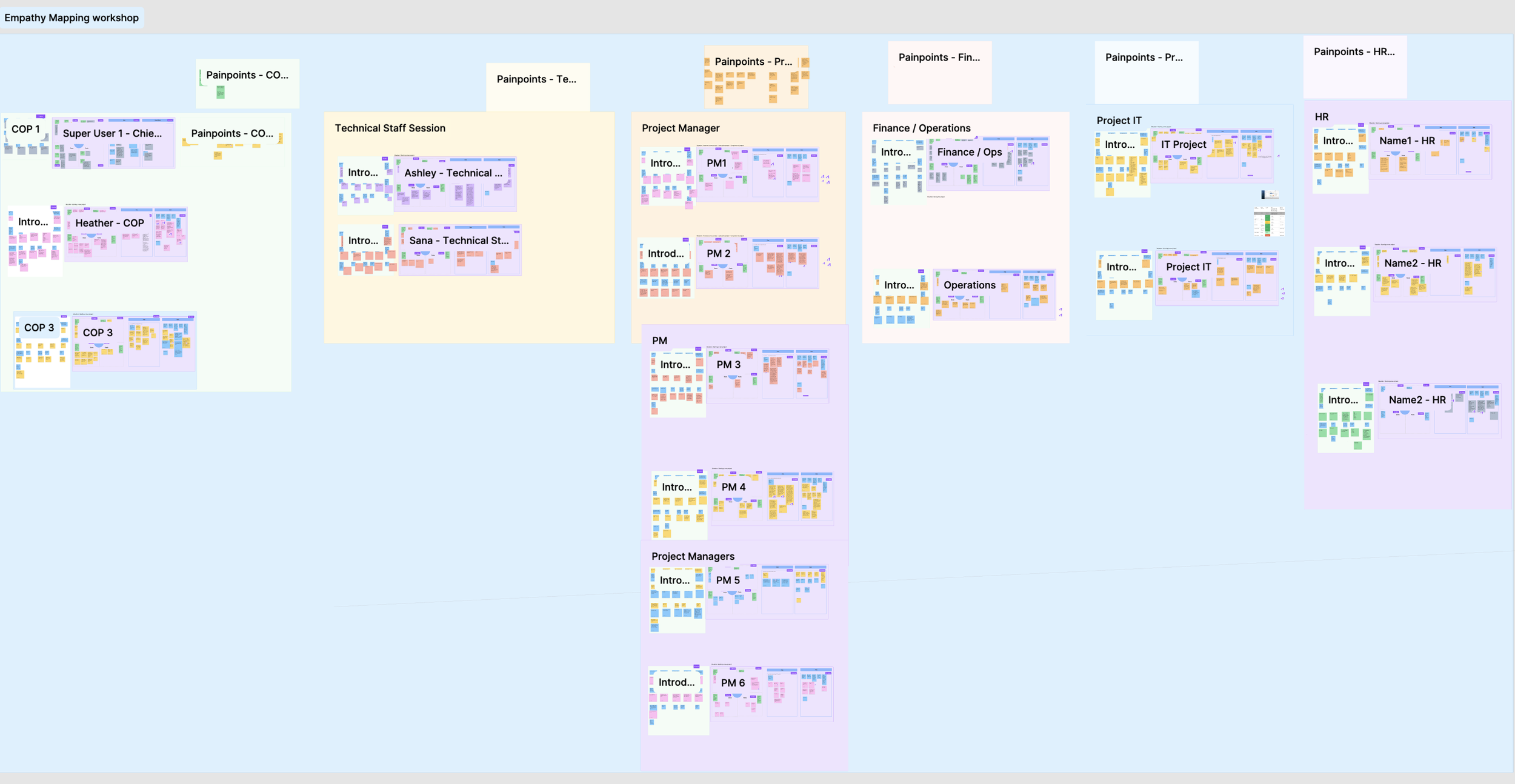
The system didn't come first — the research did. Before defining a single token, we spent months with DAI's teams to understand the work the platform had to support. Here's the short version:

Step 01
User interviews
Virtual workshops with 21 users across 8 roles — COP, Finance/Ops, PM, IT, HR — using empathy mapping to surface pain points.
Step 02
Personas & journeys
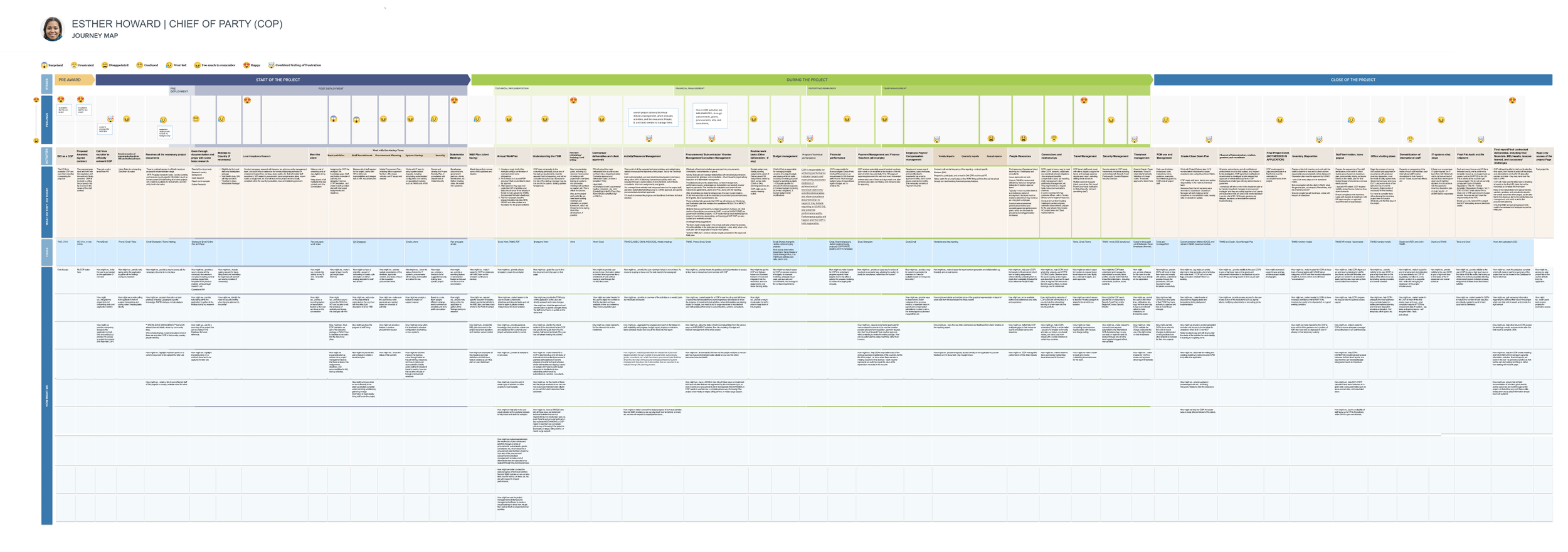
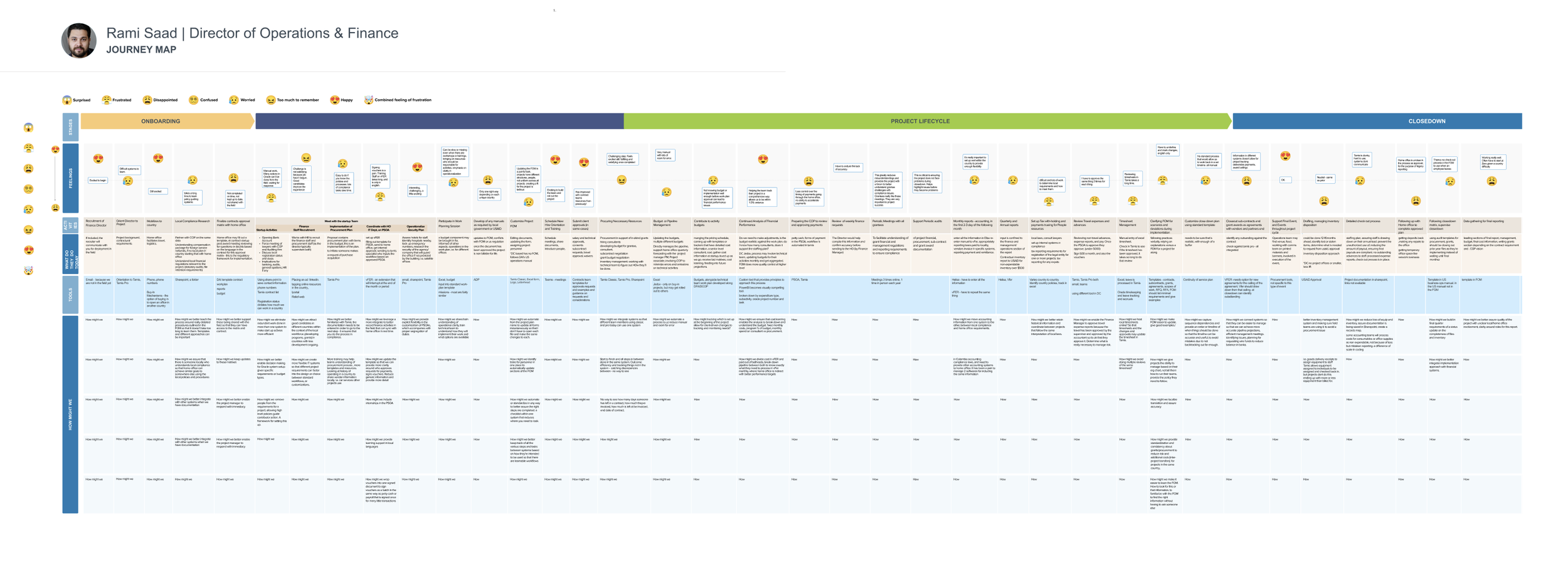
Six key users defined; journey maps for the Chief of Party and Director of Finance/Ops built from three weeks of sessions.
Step 03
Affinity mapping
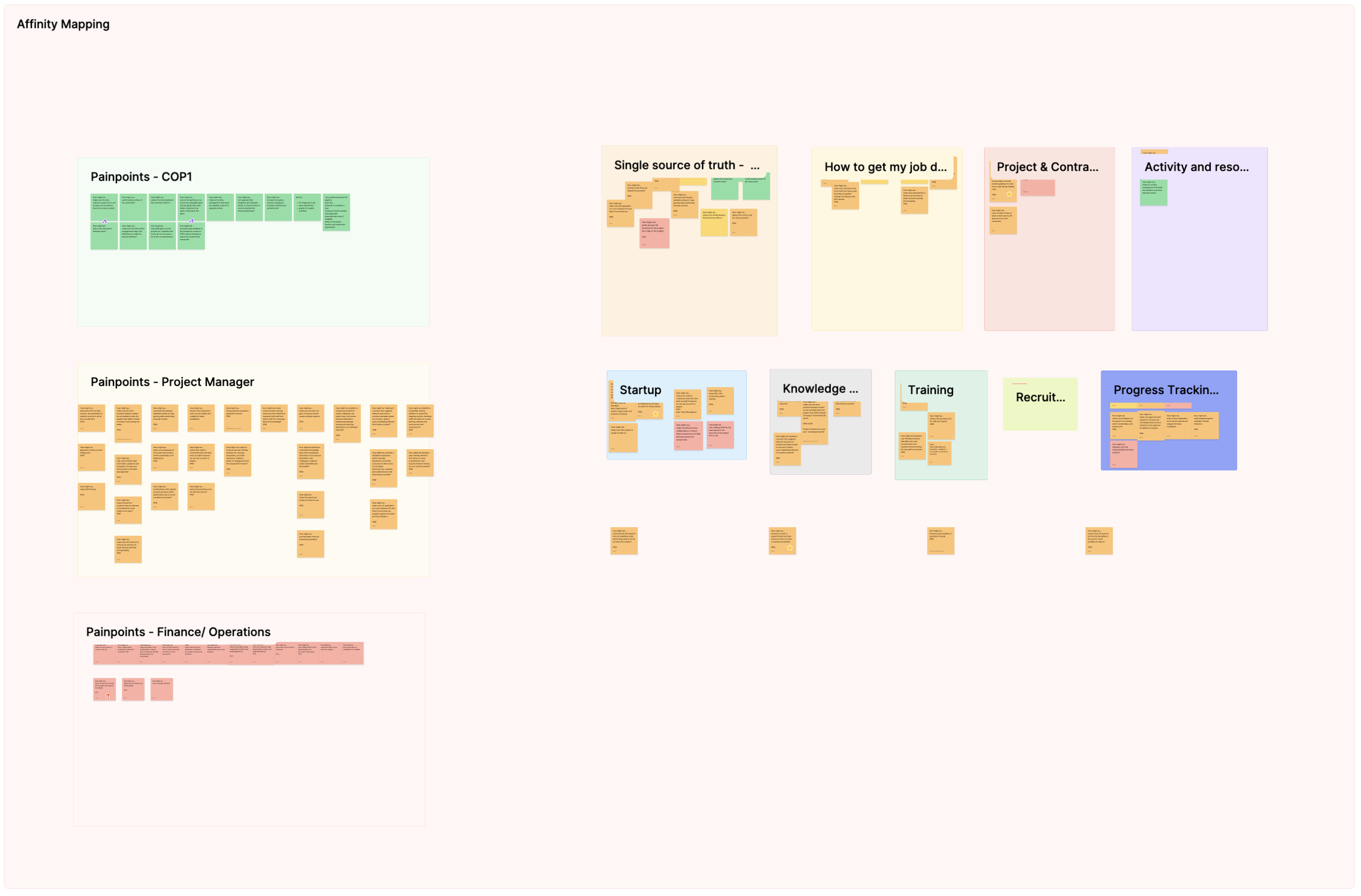
Pain points reframed as "How Might We" statements, then grouped into nine themes — from single source of truth to recruitment.
Step 04
Prioritization
With SMEs, narrowed nine themes to the five the proof of concept had to address — scope locked before design began.
Step 05
Wireframes
Initial drafts and wireframes for the prioritized areas — structure first, before brand or visual design entered.
Step 06
Usability testing
Validated with four Chiefs of Party. Unanimous: the unified platform would save time and raise task completion — the green light to build.
Research artifacts

The workshop outputs behind those six steps — empathy maps, personas, journey maps, and the affinity wall. Open any one to see it full size.

How it ended

Daiverse never shipped, but the design system is intact. It's a complete, documented body of work — still usable, and ready for whatever it becomes part of next.
16
Months of research, system & application design
13
Enterprise apps in scope
150+
Countries the system was built for
What remains
  • The full system — both layers of values, complete in Figma
  • Component library — buttons, navigation, widgets, charts — documented and ready to build with
  • ZeroHeight documentation — designs alongside the engineering code
  • 4pt grid, full type scale, shadow styles — the complete foundation
  • A validated product — research, personas, and tested flows behind every screen
More projects
All work →